Shopify Schema Explained: The Technical SEO Fix Most Stores Ignore

Many Shopify stores invest heavily in content, backlinks, and paid acquisition. Very few properly implement Shopify schema markup. That gap matters.
Schema markup is one of the most overlooked technical SEO layers in ecommerce. When implemented correctly, it improves search visibility, enhances listings with rich results, and helps Google clearly understand the structure of your store.
When it’s implemented poorly, or generically, it limits your eligibility for enhanced search features. This is where most stores fall short.
Key takeaways
- Most Shopify stores rely on incomplete or default Shopify schema markup
- Page-specific schema improves eligibility for rich results and enhanced search listings
- Proper JSON-LD Shopify implementation strengthens Google’s understanding of your site
- The most important schema types include Product, CollectionPage, FAQ, Breadcrumb, and Organization
- Technical precision, not plugins alone, determines whether schema delivers results
What Is Shopify Schema Markup?
Shopify schema markup is structured data added to your store, typically in JSON-LD Shopify format, that explains your content to search engines. Instead of Google inferring what a page represents, schema explicitly defines it.
For example:
- This is a product.
- This is a collection page.
- This page contains FAQs.
- This page belongs in a breadcrumb path.
- This organization owns the website.
Schema does not change how your store looks. It does not impact design. It simply adds machine-readable context. That clarity improves search result presentation.
Why Page-Specific Schema Matters
One of the most common mistakes we see in audits is generic or duplicated schema across page types. For example:
- Product schema appearing on non-product pages
- Organization schema repeated multiple times
- FAQ schema added sitewide instead of only on relevant pages
- Missing CollectionPage schema entirely
Search engines evaluate structured data in context. If schema types do not match the page’s intent, they reduce trust signals and limit eligibility for rich results. Clean, page-specific schema improves:
- SERP visibility
- Click-through rate (CTR)
- Rich result eligibility
- Search engine understanding of site architecture
Technical SEO precision makes the difference.
The Most Important Schema Types for Shopify Stores
Below are the core schema types every Shopify store should evaluate.
1. Shopify Product Schema
Shopify Product schema is the most critical structured data type for ecommerce stores. It tells Google essential product details, including the product name, price, availability, SKU, brand, and reviews (when applicable). When it’s properly configured, Product schema enables better search features such as price display directly in results, real-time availability status, review stars, and eligibility for merchant listings.
However, many Shopify themes include only partial product schema. Common issues include missing availability fields, incorrect pricing formats, duplicate structured data injected by apps, and inconsistent handling of product variants. Precise JSON-LD implementation ensures compliance, accuracy, and consistency across all product pages.
2. CollectionPage Schema
Collection pages are often ignored in structured data implementation. Yet category-level visibility is critical for ecommerce growth. CollectionPage schema helps Google understand:
- This is a product grouping
- The page represents a category
- The page fits into a larger navigation structure
Without CollectionPage schema, Google must infer category context from content and links alone. Adding explicit markup improves clarity and supports stronger category indexing.
3. FAQ Schema Shopify
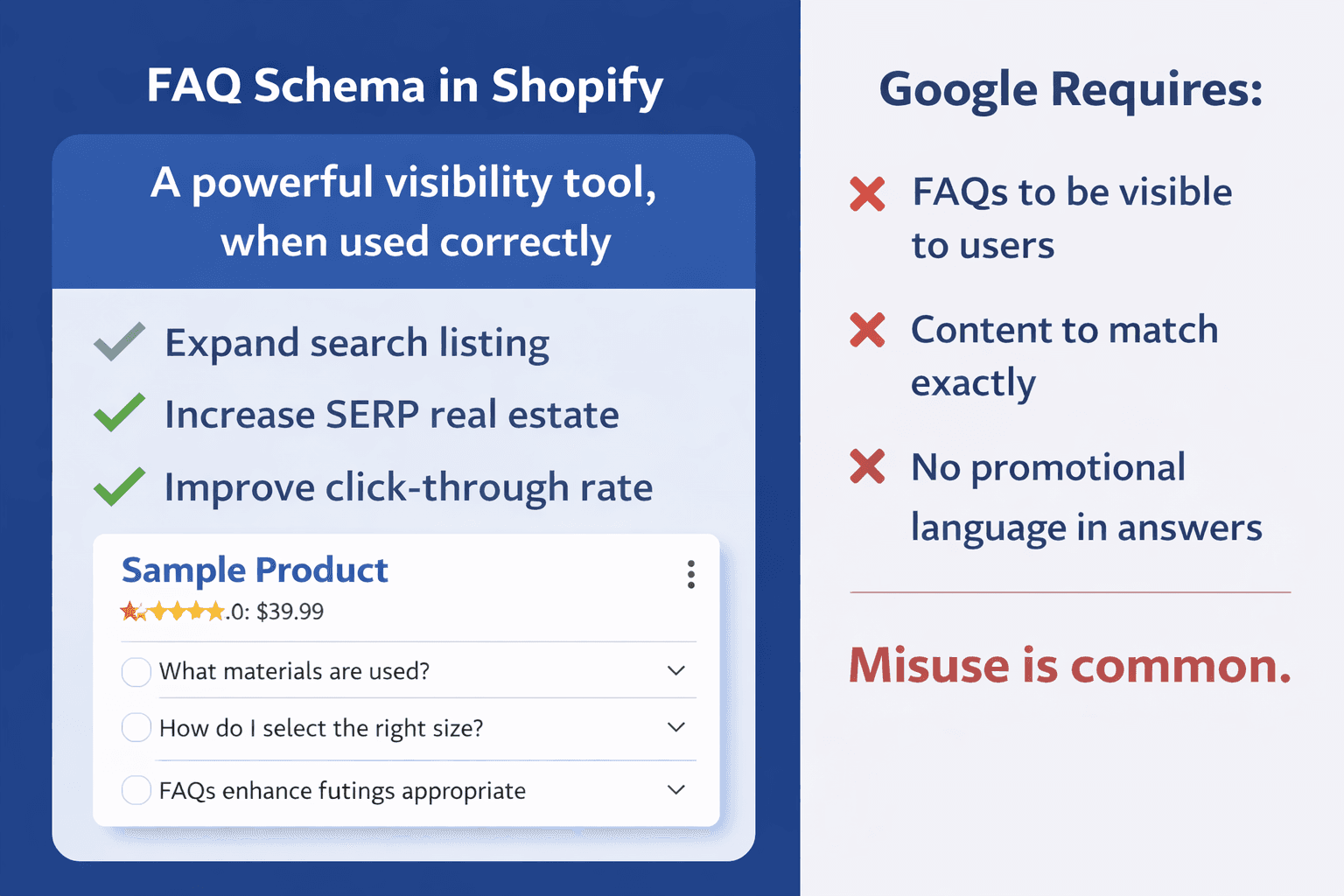
FAQ schema in Shopify can be a powerful visibility tool when it’s implemented correctly. If your product or collection pages include genuine, user-facing FAQs, adding FAQPage schema can expand your search listing, increase your SERP real estate, and improve click-through rate by making your result more informative and prominent.
However, misuse is common. Google requires that FAQs be clearly visible to users on the page, that the structured data content matches the on-page content exactly, and that answers avoid promotional language. When properly aligned with these guidelines, FAQ schema enhances how your listing appears in search results, even though it does not directly change rankings.
4. Breadcrumb Schema
Breadcrumb structured data helps search engines understand your site hierarchy. It clarifies:
- Parent category
- Subcategory
- Product placement
Breadcrumb schema often replaces messy URL paths in search results with clean navigation trails. That improves user trust and readability.
5. Organization & Website Schema
These schemas define your brand identity, company information, website structure, and search action capability. In other words, they tell Google who you are, how your site is organized, and how users can interact with it directly from search.
They strengthen brand signals and clarify ownership, reinforcing trust and structural clarity when they’re applied correctly. However, they must be added once, cleanly and intentionally, not duplicated across multiple templates or layered inconsistently, to avoid confusion and technical errors.
Why JSON-LD Is the Preferred Format
Modern Shopify schema markup should be implemented in JSON-LD Shopify format.
But Why?
- It’s Google’s recommended format
- It keeps structured data separate from visible HTML
- It reduces markup conflicts
- It improves maintainability
Many apps inject schema inconsistently. Custom Liquid-based JSON-LD provides more control and accuracy.
Simple Example: CollectionPage Schema in JSON-LD
Below is a simplified example of CollectionPage schema implemented conditionally in Shopify:
{% if template contains 'collection' and collection %}
<script type="application/ld+json">
{
"@context": "https://schema.org",
"@type": "CollectionPage",
"name": "{{ collection.title }}",
"url": "{{ shop.url | append: collection.url }}"
}
</script>
{% endif %}
This markup only loads on collection pages. It does not affect speed. It does not alter design. It improves search clarity.
How Proper Schema Improves Search Visibility
Structured data does not directly increase rankings. But it strongly improves:
- Eligibility for rich results
- SERP presentation quality
- Click-through rate
- Content interpretation
In competitive ecommerce niches, improved CTR from improved listings can significantly impact revenue over time. When your listing includes pricing, reviews, breadcrumbs, or FAQs, it stands out. That visibility advantage compounds.
Common Shopify Schema Mistakes
During audits, we frequently see:
- Multiple apps injecting conflicting schema
- Missing Product schema fields
- FAQ schema implemented incorrectly
- Schema placed globally instead of per template
- Duplicate Organization markup
- Outdated Microdata instead of JSON-LD
Technical SEO is detail-driven. If you’re unsure whether your Shopify schema markup is implemented correctly, we can audit it for you. We’ll identify missing schema types, duplication issues, and lost rich result opportunities, and show you exactly what to fix. Contact us to chat about your schema.
Final Takeaway
Most Shopify stores ignore structured data or assume their theme handles it properly. In most cases, it does not. Strategic Shopify schema markup ensures that your products qualify for rich results, your collection pages are clearly understood, your FAQs enhance listings appropriately, and Google accurately interprets your site structure.
This is not a cosmetic improvement. It is a technical SEO foundation. If your store has never undergone a structured data audit, there is likely opportunity being left untapped. Proper Shopify schema implementation requires precision, not guesswork and when done correctly, it strengthens long-term organic visibility across your entire site.
Is your Shopify schema actually working?
We audit structured data per page type and fix the gaps that are limiting your rich result eligibility and organic visibility.
Explore web development services