
Why Headless Shopify Feels Faster Than Themes? It's Not Just Speed


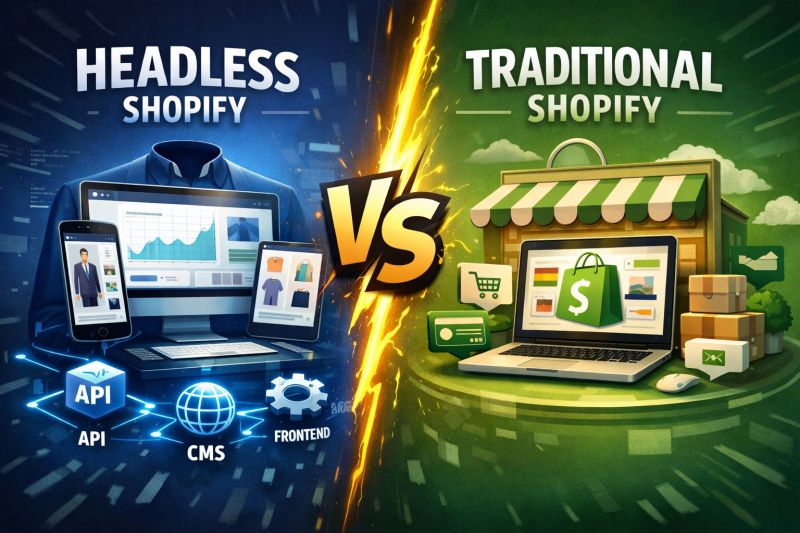
Table of Contents
Headless Shopify is a setup where the storefront is separated from Shopify’s backend. Instead of using a traditional theme, the front end is built with modern frameworks and connects to Shopify through APIs. This gives developers more control over how the site loads and responds to user actions. That architectural difference changes how a store feels with headless vs. Shopify themes. A headless storefront often feels instant. Pages transition smoothly. Filters apply without delay. The cart updates immediately. The experience feels fluid and responsive. A traditional theme-based store can still load quickly, but interactions may feel heavier. Buttons take a moment. Filters trigger partial reloads. The site works, yet the responsiveness is different. In many cases, headless Shopify feels faster not because of raw speed, but because the storefront reacts more quickly to user input. For e-commerce, that distinction matters.
Key takeaways
- When people say headless feels faster, they usually mean it feels more responsive, less lag when clicking, filtering, and navigating.
- Shopify themes can perform well, but they rely on a template system called Liquid (Shopify’s server-side templating language) and can become heavier as apps and scripts accumulate.
- Headless storefronts reduce performance bottlenecks by giving developers more control over rendering and frontend behavior.
- The “speed advantage” often comes from interaction improvements, not just load time.
- Headless isn’t automatically faster than Shopify themes; implementation quality matters.
Why This Matters for E-commerce Teams
In e-commerce, performance affects conversion rate. Small delays during filtering, cart updates, or navigation can increase friction. Friction reduces engagement. Reduced engagement impacts revenue.
When a storefront feels immediate and smooth, users browse longer and move through the purchase journey with less hesitation. That experience influences how premium and trustworthy a brand feels.
Before getting into architectural details, it’s important to anchor this discussion in business impact. The real question is not whether headless is technically faster. It is whether it meaningfully reduces friction in the buying experience.
What People Mean When They Say “Headless Feels Faster”
When people think about performance, they usually think about how quickly a page loads. That’s understandable, since load speed is easy to measure and commonly discussed in tools like Lighthouse and Google PageSpeed Insights. But shoppers don’t experience a website as a report card. They experience it through interaction.
A store feels fast when it reacts immediately. When someone taps a product, applies a filter, changes a variant, or adds an item to their cart, they expect the interface to respond without hesitation. Even small delays can create a sense of friction. The page may technically be loaded, but if the experience feels sluggish, users interpret the site as slow.
This is where perceived performance becomes more important than technical speed. Perceived performance is the difference between a site that is fast on paper and a site that feels effortless to use.
A Simplified Technical Breakdown
The following section provides architectural context for teams who are currently evaluating a structural change. It is not necessary to understand browser internals to grasp the business impact.
CPU vs GPU Rendering: The Technical Reason Headless Feels Faster
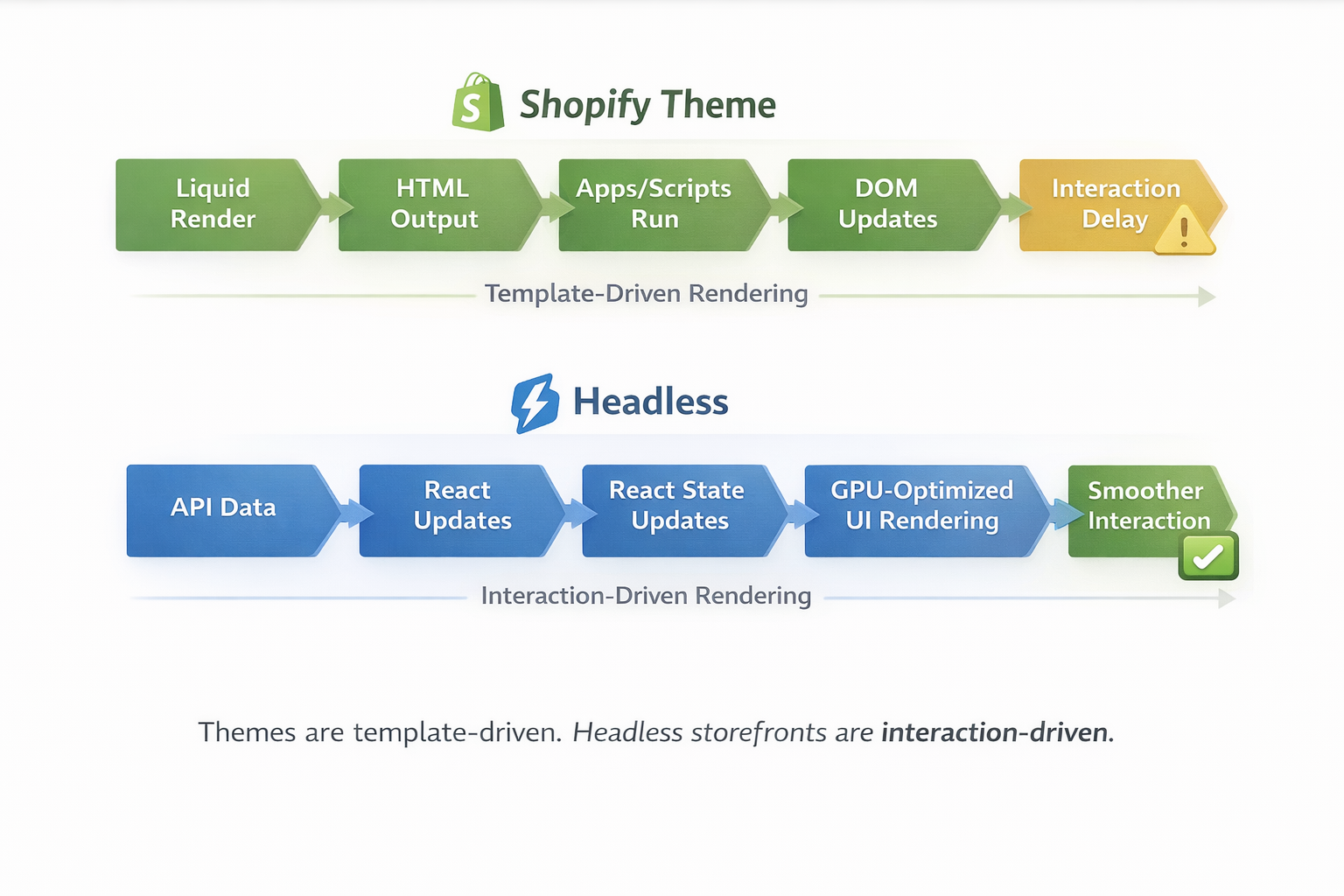
The biggest reason headless storefronts feel faster is rooted in how browsers render websites. To understand the difference, it helps to break the browser’s workload into two roles: CPU and GPU. In simple terms, the CPU handles logic and processing. The GPU handles visual output and motion.
The CPU handles the “thinking” side of the experience. It processes JavaScript, runs scripts from Shopify apps, calculates layout changes, updates the DOM (the structured representation of the page in the browser), and manages the logic behind interactions. Every time a shopper clicks a button, the CPU is involved. If it’s overloaded, even a simple interaction can feel delayed.
The GPU handles the “visual” side of the experience. It renders animations, transitions, scrolling behavior, and compositing layers. When everything is running smoothly, the GPU keeps motion fluid and makes the storefront feel responsive.
The problem happens when the CPU is doing too much. When the CPU is overloaded with scripts and rendering work, it can’t deliver updates to the GPU quickly enough. That’s when users experience lag, stutter, delayed clicks, or scrolling that feels slightly heavy. These moments are subtle, but they create a noticeable impression. The storefront feels slower, even if it technically loaded quickly.
Why Headless Storefronts Feel Faster
Headless commerce is built for interactivity
Instead of relying on Shopify’s headless theme engine and Liquid rendering pipeline (the process that generates page templates on the server before sending them to the browser), headless storefronts typically use modern frontend frameworks like React, Next.js, or Hydrogen Shopify. These frameworks are designed to deliver dynamic UI updates, smooth transitions, and fast client-side interactions.
Where GPU rendering becomes a major advantage
The GPU is responsible for rendering visual experiences. It powers smooth scrolling, animations, transitions, and compositing. When a storefront is built in a way that supports GPU-accelerated rendering, interactions feel immediate and fluid. The experience becomes less like a traditional website and more like a modern application.
This is why headless storefronts are often described as “app-like.” The UI can react instantly, without requiring full-page reload behavior or heavy template-based rendering every time something changes.
That GPU-driven smoothness is a big reason headless feels faster, even when load time is similar. If you're considering a headless build or evaluating if your Shopify theme is limiting performance, our Shopify web development services include a team that can give you a personalized SEO audit of your current architecture and outline the right path forward. Contact us to help you scale your Shopify store.
Shopify Native Themes Are More CPU-Driven
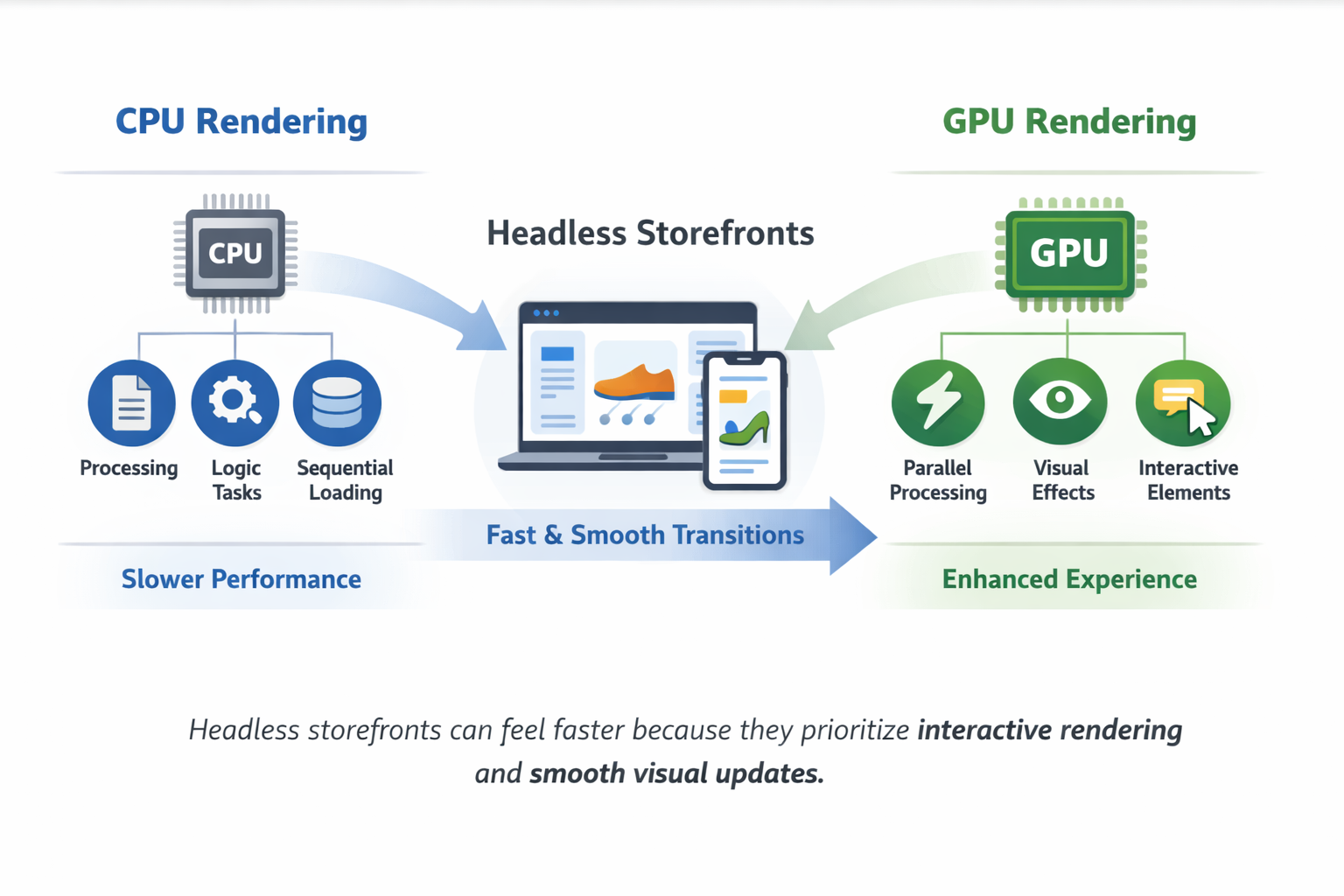
Shopify themes are built around Liquid templates and server-side rendering. That system is incredibly stable, SEO-friendly, and optimized for Shopify’s ecosystem. It also makes theme-based storefronts easier to launch and maintain.
But from a performance-feel standpoint, it tends to lean more heavily on CPU-oriented work.
The CPU is responsible for processing logic and executing scripts. In a theme-based Shopify store, the CPU is doing a lot: parsing HTML, processing Liquid output, running a Shopify theme development in JavaScript, loading app scripts, and updating the DOM.
That workload increases as a store grows and adds more apps, tracking, and interactive elements.
Even if the page loads quickly, CPU-heavy rendering can create small delays during interaction. Those delays are what users feel. The storefront may be technically fast, but it can still feel slower compared to a headless experience built for smooth UI updates.
UX Responsiveness Is the Real Reason Headless Feels Faster
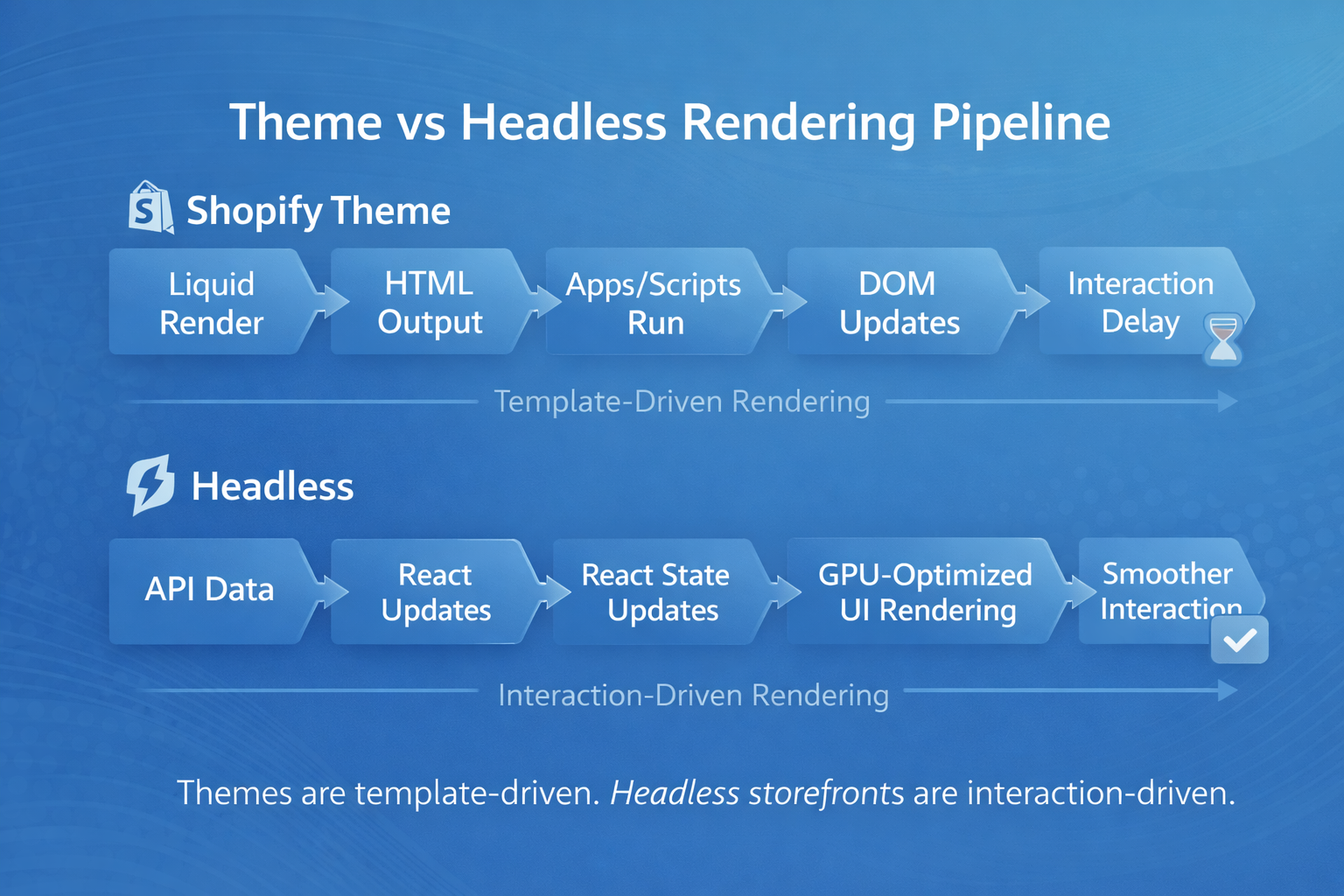
The biggest performance advantage of headless isn’t always about load speed. It’s about responsiveness. Responsiveness influences how long users browse, how confidently they interact with the cart, and how smoothly they move toward checkout.
Headless storefronts typically offer more control over how the interface behaves when users interact with it. Instead of reloading sections or re-rendering large parts of a page, a headless storefront can update only what changed.
That means interactions like filtering, cart updates, and navigation feel instant. The user doesn’t experience friction. They don’t wait for the interface to “catch up.” They click, and the UI responds immediately. That responsiveness creates the feeling of speed.
And in e-commerce, that feeling matters. Shoppers interpret responsiveness as quality. A store that feels fast feels more premium, more trustworthy, and easier to buy from.
The right choice depends on business goals, not trend adoption. Architecture should support revenue strategy, not just technical preference. Faster interactions impact how users navigate, browse, and convert. If you're exploring how performance affects revenue, our CRO team can analyze where architecture and UX intersect. Contact us to chat about your project.


